•8 min read
Base64 Encoding and Decoding: Complete Developer Guide
Master Base64 encoding and decoding with practical examples. Learn when to use it, common pitfalls, and best practices for handling binary data.
Encode to Base64 or decode Base64 to text — supports Base64URL (JWT), UTF-8/Latin1, padding toggle, and auto-detect.
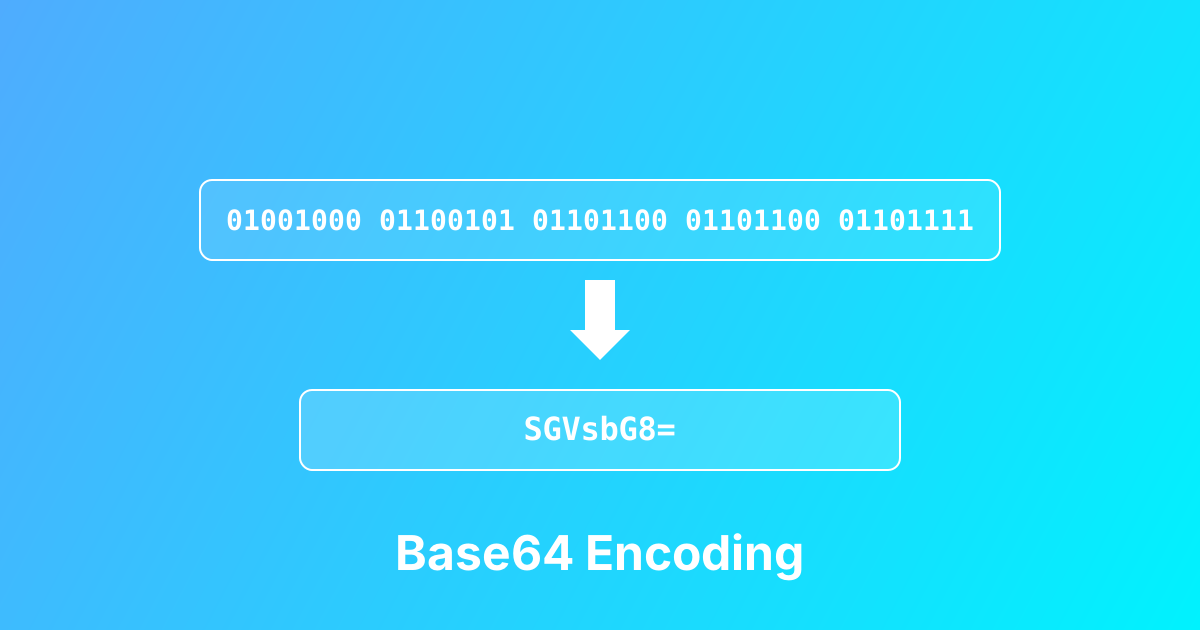
Base64 Encoder / Decoder is a developer tool for converting between plain text and Base64, plus Base64URL (the URL-safe variant used by JWT). Base64 represents binary data as ASCII text so it can safely pass through text-only channels like JSON, HTTP headers, query strings, environment variables, and configuration files. This tool supports UTF-8 (recommended for Unicode like Hebrew/emoji) and Binary (Latin1) for legacy `atob`/`btoa` compatibility. You can also control padding (`=`) because some ecosystems require it, while JWT/Base64URL often omits it. Use it to debug encoded API fields, inspect JWT segments, validate whether a string is Base64, and generate safe encoded values for apps and scripts—entirely in your browser.
Paste plain text to encode or a Base64/Base64URL string to decode
Auto-detect chooses Encoding vs Decoding (you can override by swapping if needed)
Select UTF-8 for modern text (recommended) or Binary (Latin1) for legacy compatibility
Enable Base64URL (JWT) when working with URL-safe tokens (uses - and _ instead of + and /)
Toggle “Without padding” if your target system expects no '=' padding (common for Base64URL/JWT segments)
Copy the output and use it in headers, payloads, configs, tests, or scripts
Decode Base64 fields from API responses, logs, and database records
Encode JSON or config blobs for environment variables (single-line transport)
Decode JWT header/payload segments (Base64URL) for debugging auth issues
Generate URL-safe identifiers for query params or filenames (Base64URL mode)
Create HTTP Basic Auth values (Base64 of username:password)
Validate whether an input is valid Base64/Base64URL before parsing in code
Troubleshoot broken Unicode output by switching UTF-8 vs Binary mode
Prepare Base64 test fixtures for unit/integration tests
One tool for both directions
URL-safe alphabet (- and _) for tokens and URLs
Keep '=' for strict decoders or remove it for JWT/Base64URL use
Correct handling for Unicode text (Hebrew, emoji, accents)
Matches legacy `atob`/`btoa` expectations when needed
Paste anything and the tool chooses the likely direction
Runs in-browser (no uploads), great for sensitive data
Designed for day-to-day dev debugging
Learn more about this tool with our in-depth guides
Master Base64 encoding and decoding with practical examples. Learn when to use it, common pitfalls, and best practices for handling binary data.